
Brevo Newsletter Signup Pro Module for Joomla
This module allows users to subscribe to a Brevo (Sendinblue) mailing list directly from your Joomla website.
Documentation
The Brevo Newsletter Signup Module Pro allows Joomla 5 websites to collect email subscriptions directly into Brevo (formerly Sendinblue).
It provides a simple, customizable form that connects to the Brevo API v3 and supports additional data fields, GDPR compliance, and silent anti-spam protection.
This module is lightweight, fast, and designed for modern Joomla standards.
Main Features (Generic Module Features)
Brevo API Integration
- Connects to Brevo using API v3
- Supports subscribing a user to a specific Brevo List ID
- Sends attributes (First Name, plus custom JSON attributes)
- Automatically updates existing subscribers
Fully Customizable Signup Form
- First Name field
- Email field
- GDPR consent checkbox
- Custom GDPR text & Privacy Policy link
- Vertical or horizontal layout mode
- Custom module class suffix for styling
Enable / Disable First Name Field
Enable / Disable Last Name Field
Enable / Disable Form Labels
Success & Error Messaging
- Customizable success message
- Customizable generic error message
- Dedicated "Duplicate Email" message when a user is already subscribed
- Built-in messaging display with styling for success/error states
Silent Anti-Spam System (No CAPTCHA Required)
A non-intrusive spam protection system:
✔ Honeypot field (invisible; bots fill it, humans don’t)
✔ Time-trap protection (submission must take at least X seconds)
✔ Adjustable minimum time (default: 3 seconds)
✔ Fully compatible with all layouts and templates
✔ No Google reCAPTCHA needed
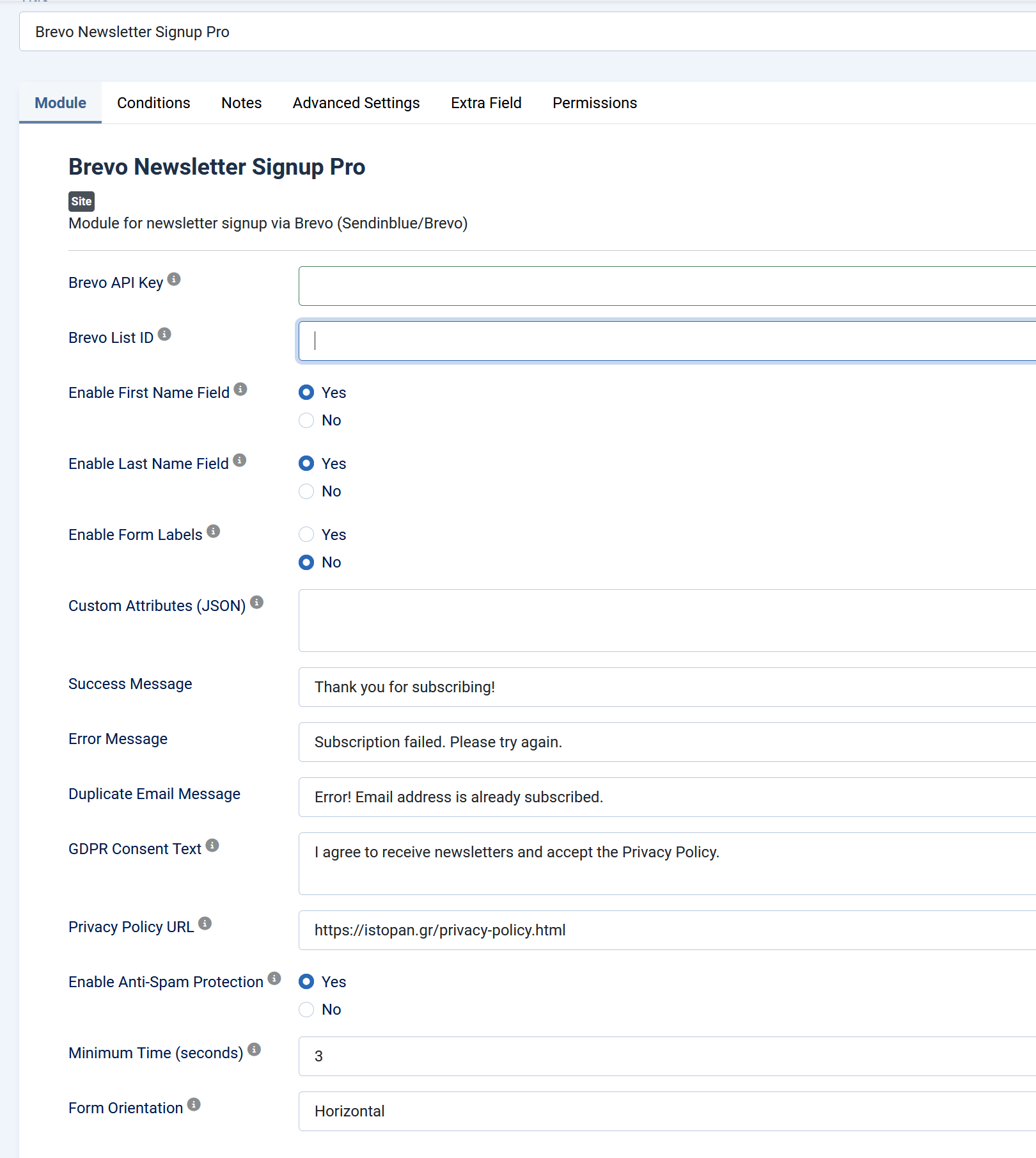
Video settings for Brevo Newsletter Signup Pro Module
INSTALLATION
1. In your Joomla admin, go to Extensions > Manage > Install.
2. Upload and install the mod_brevo_newsletter_pro.zip file.
3. Go to Extensions > Modules and find "Brevo Newsletter Signup Pro".
4. Set your Brevo API key and List ID in the module settings.
5. Choose a module position (e.g., position-7) and publish the module.
GETTING YOUR BREVO API KEY AND LIST ID
- Login to your Brevo account at https://app.brevo.com
- Go to SMTP & API > API Keys and generate a v3 key.
- To get the List ID, go to Contacts > Lists and check the ID next to the list name.